Pix Charge with Excel: streamline your routine and increase your sales

Save time with Pix charges created through Excel
Optimize your finance team's time intelligently. Simply follow our Excel template and upload it to the platform to create batch charges with just a few clicks.
Batch Charges via Excel
Your money instantly
Anti-fraud protection
Transform your Excel into a powerful charge tool
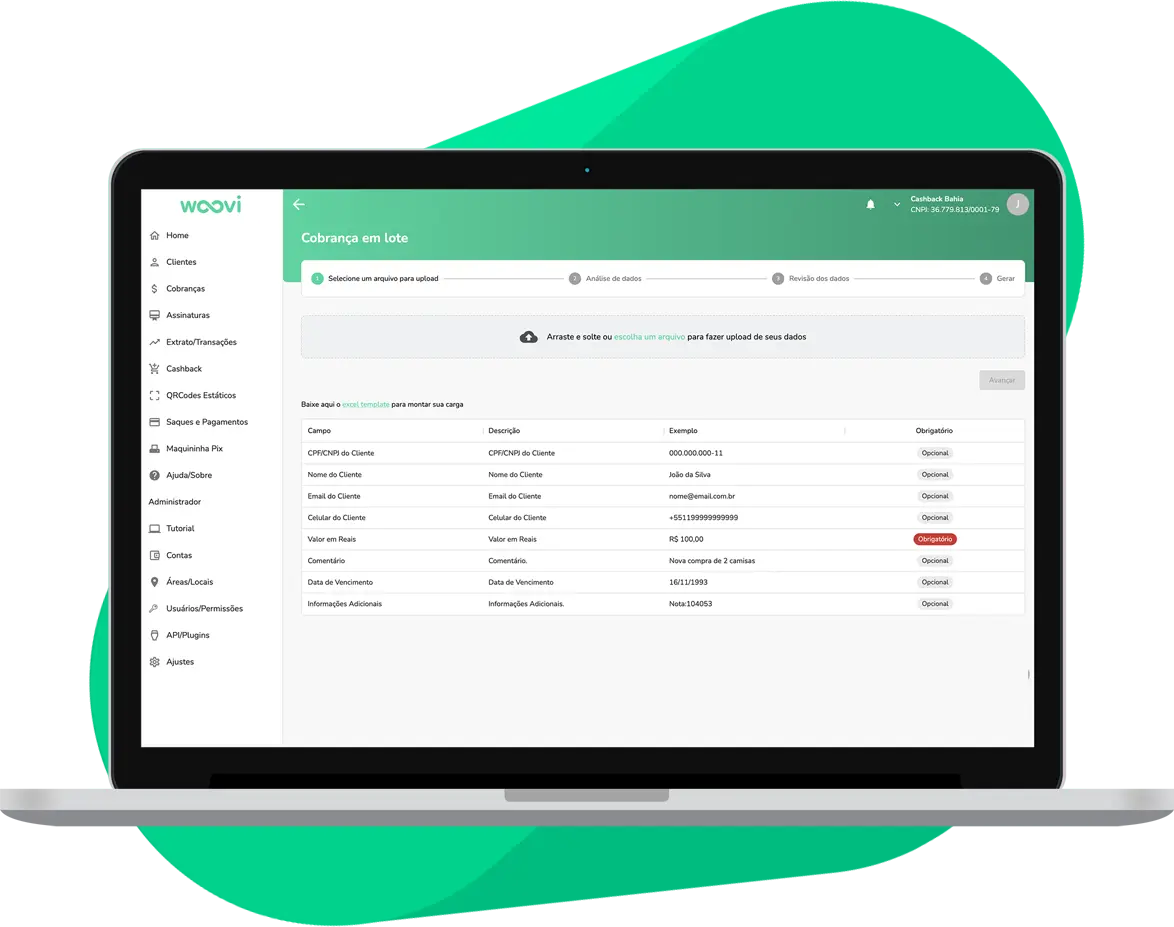
Speed up your charges with Pix Charge integrated into Excel
Simplify your financial routine and increase your sales with Pix Charge integrated into Excel.

See the Documentation
See the API
Register now
Frequently asked questions
The integration of Pix Cobrança with Excel is done through a spreadsheet that allows for quick and simple billing. Simply fill in the customer and payment data, generate the Pix QR codes on the Woovi platform.
No, programming knowledge is not necessary to use Pix Cobrança with Excel. The spreadsheet is intuitive and easy to use, even for those without advanced computer knowledge.
Yes, it is possible to track the real-time status of invoices generated by Excel and Woovi's Pix Cobrança. In addition, it is possible to generate reports and statements to facilitate the financial management of your company.
Yes, Pix Cobrança with Excel is a safe and reliable solution. Transactions are carried out in an encrypted and protected manner, ensuring the security of information and payments.
To start using Pix Cobrança with Excel, register with Woovi, access the spreadsheet provided by Woovi, and fill in the necessary data to generate the invoices. In case of doubts, Woovi's support team is available to help.
Need to collect in batches? Let Excel and Woovi's Pix Charge take care of it for you!